🚀 RGB Transfers in Utexo
How Ethereum → RGB Transfers Work
When transferring USDT from the Ethereum network to RGB, you receive an equivalent TUSDT token in the RGB network. The transfer is made through Utexo, with transactions signed in MetaMask and an RGB invoice used as the recipient address.
🔧 Requirements Before You Start
MetaMask
- ETH balance (to pay for gas fees).
- USDT balance (the amount you will transfer).
Tribe Wallet (Mobile App)
- BTC balance (to pay the RGB transaction fee).
👇 Connect RGB Wallet on the Bridge – you can do this in two ways:
- Click CONNECT RGB WALLET at the bottom of the bridge form.
- Open the wallet list in the top-right corner of the bridge page and click the power button next to RGBWallet.
🔗 Step 1 — Enter the transfer details
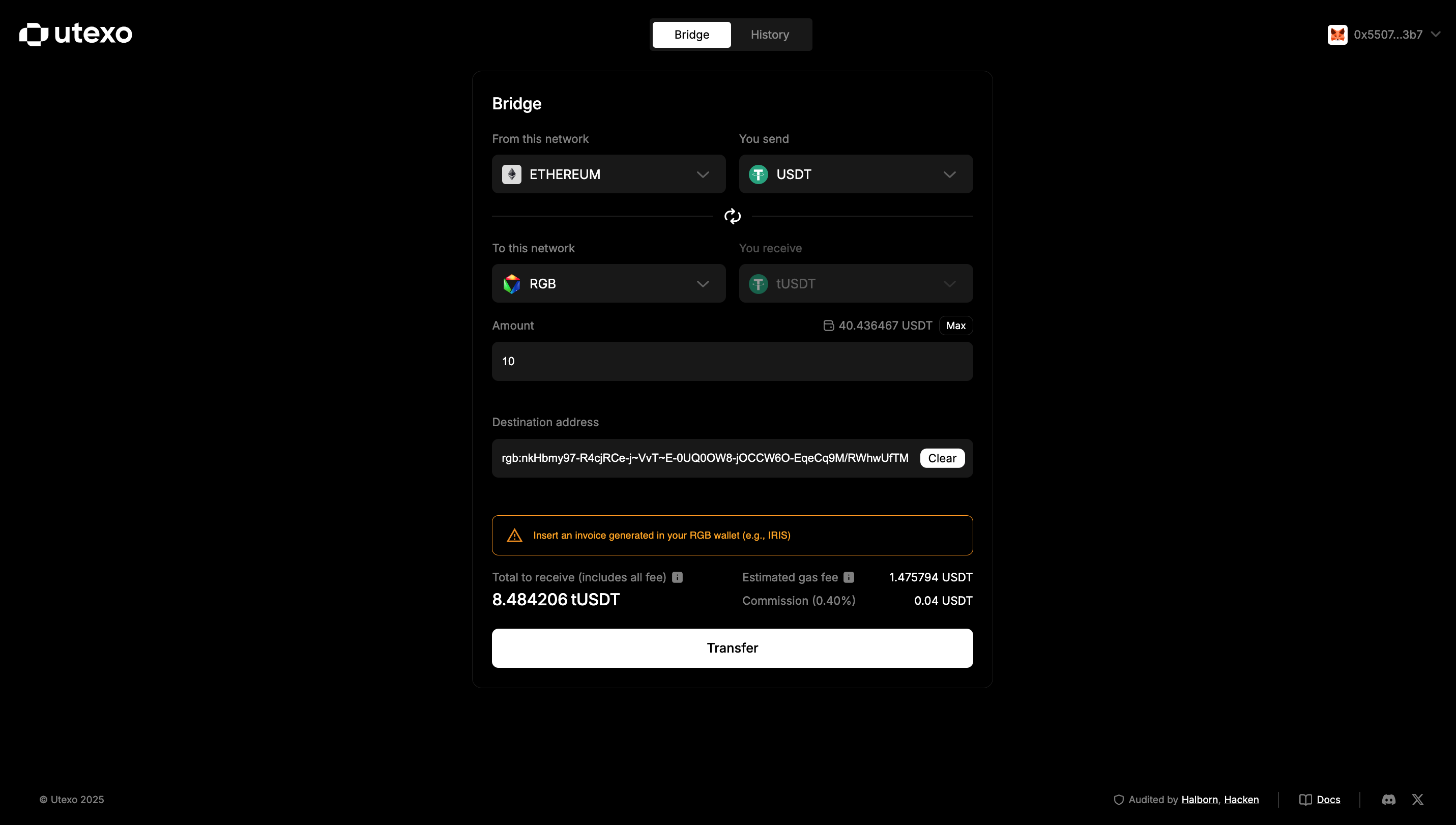
- Enter the amount – In the Amount field, enter the number of USDT tokens to transfer.
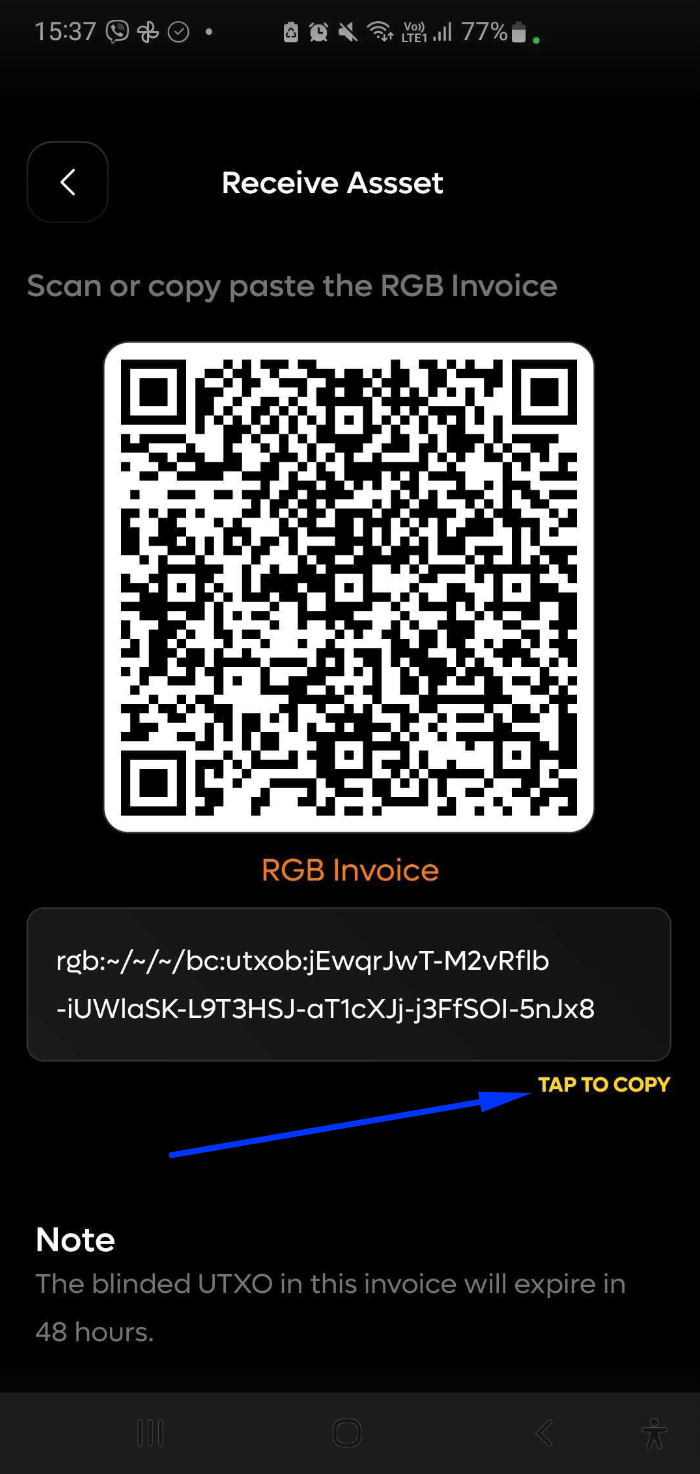
- Enter the destination address – In the Destination field, paste an RGB invoice generated in the Tribe Wallet mobile app:
- Ensure your wallet has a BTC balance to cover the transaction fee.
- Open Tribe Wallet → select Receive assets.
- Generate the invoice and copy it.
- Paste this invoice into the Destination field on Utexo.
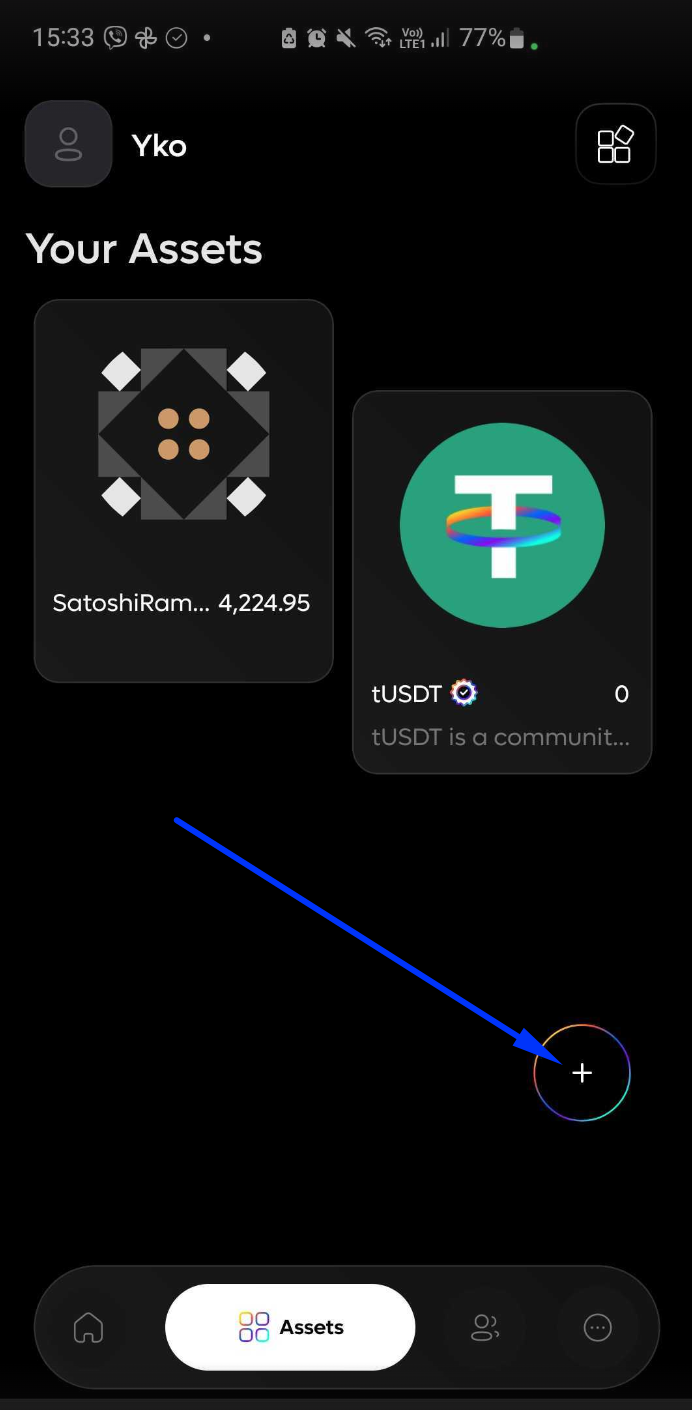
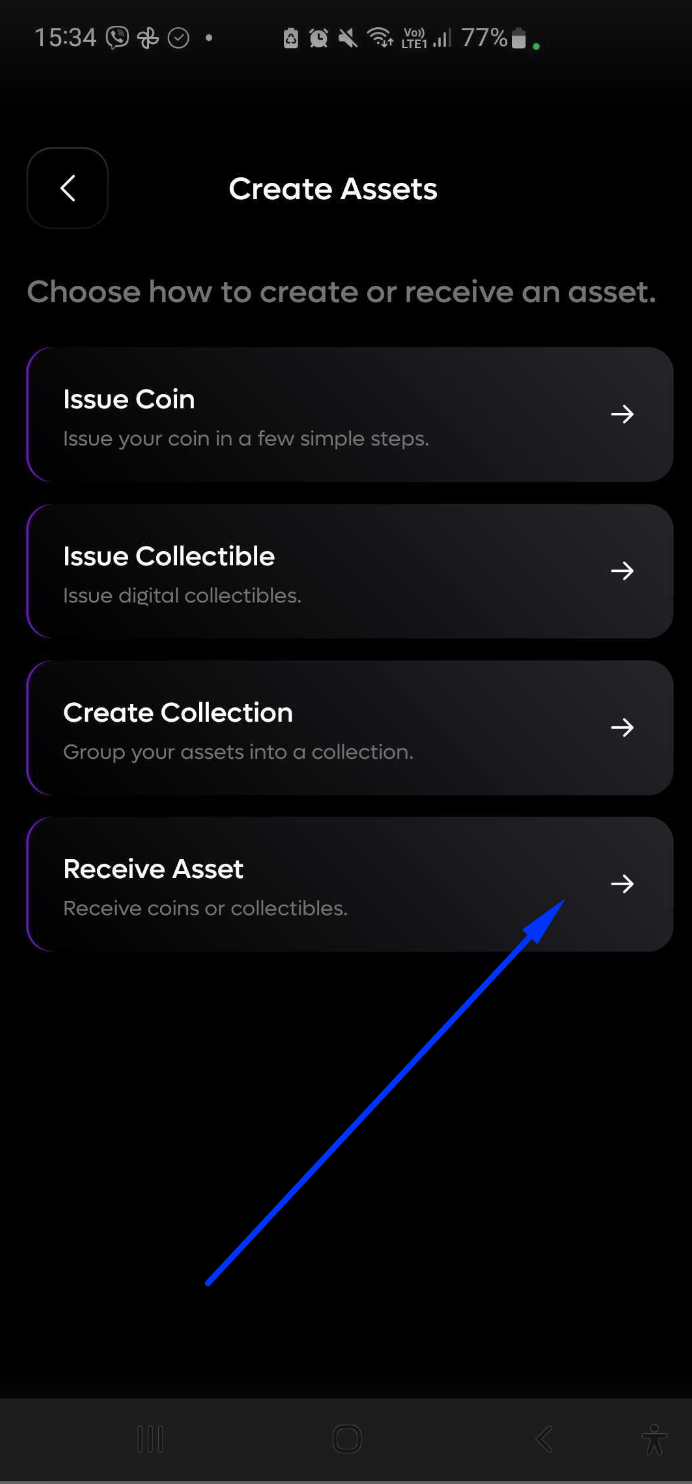
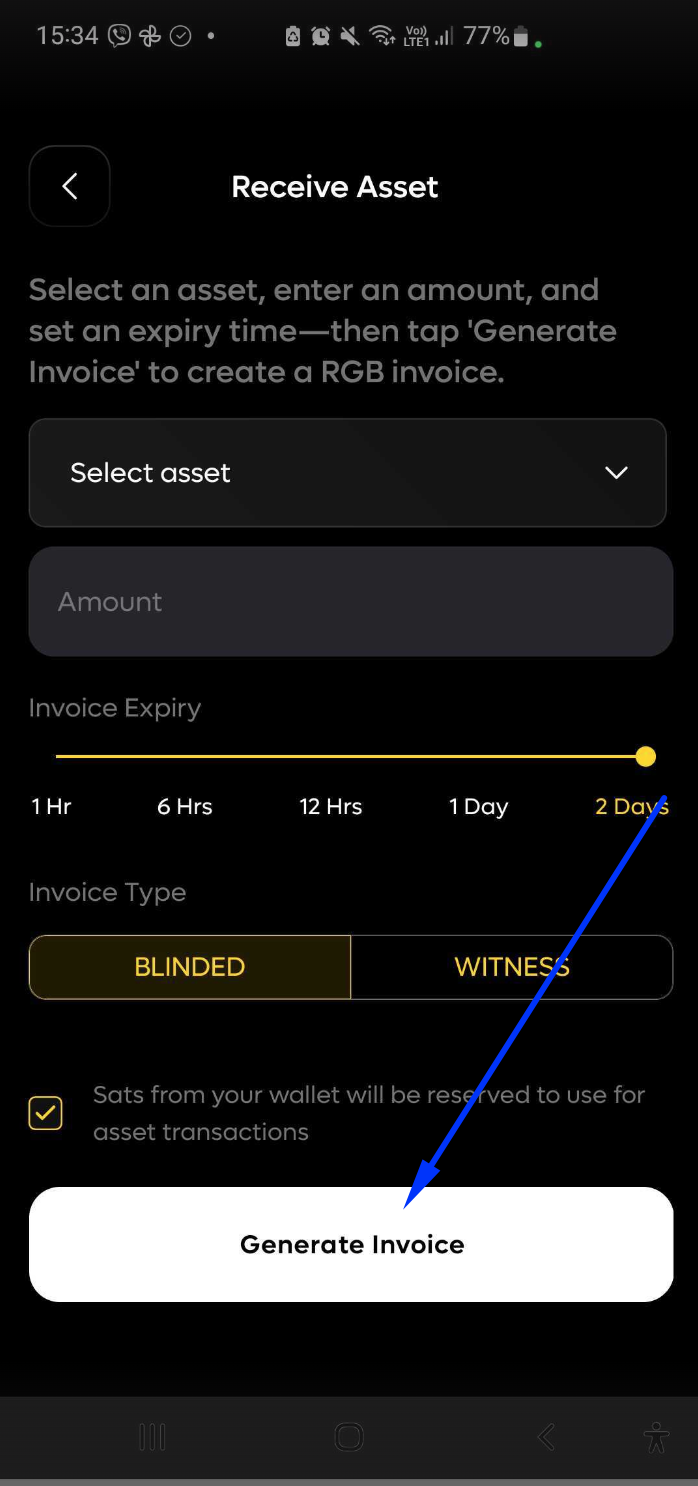
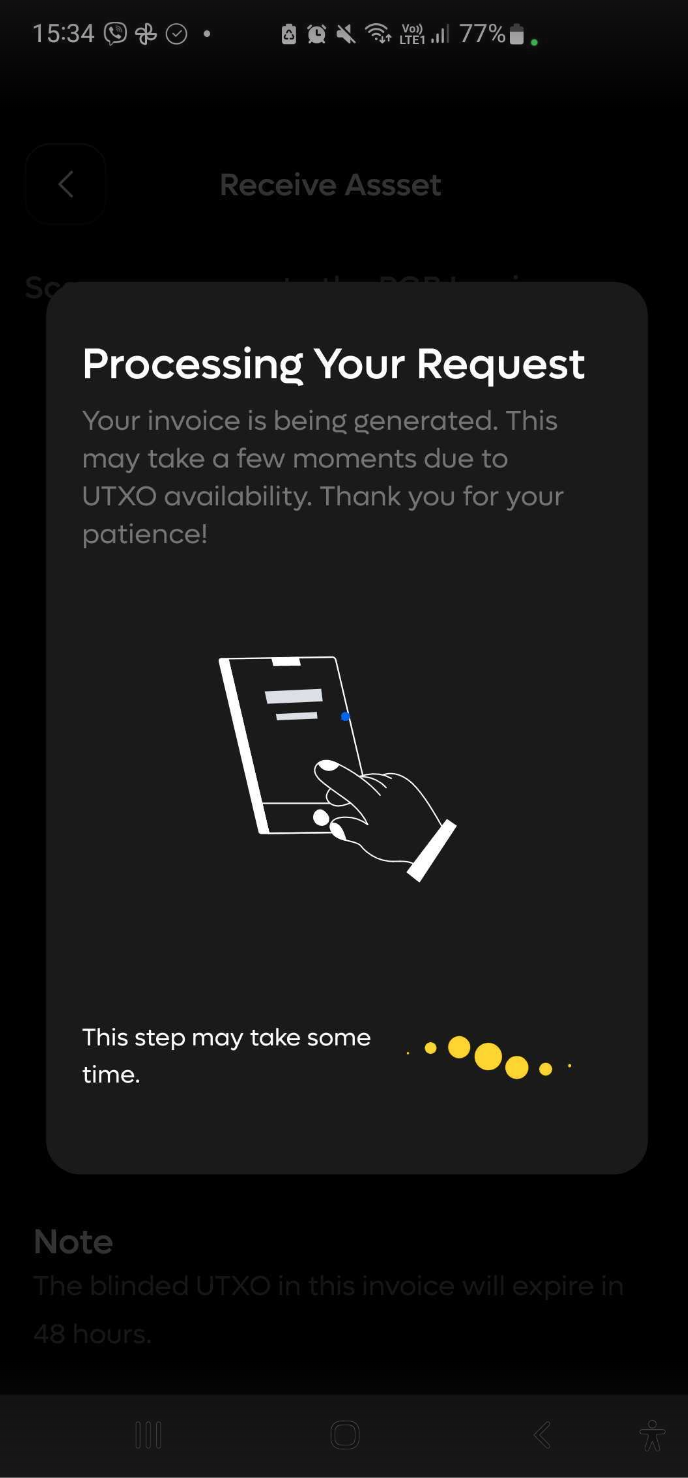
💸 Step 2 – Review and confirm the transaction
After filling in the form, a Transaction Preview will appear showing:
- You will receive – estimated amount of TUSDT after fees.
- Estimated gas fee – Ethereum network gas fee at live market rates.
- Bridge commission – fixed % fee charged by Utexo.
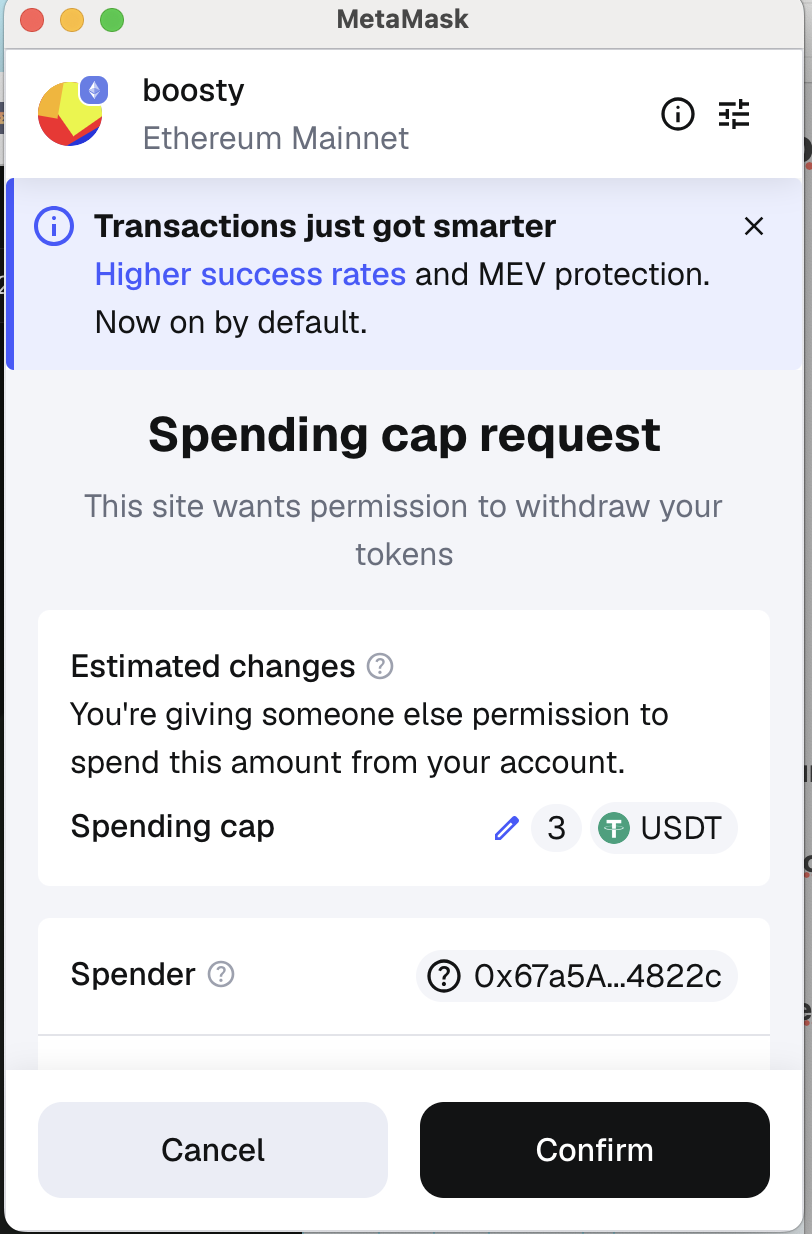
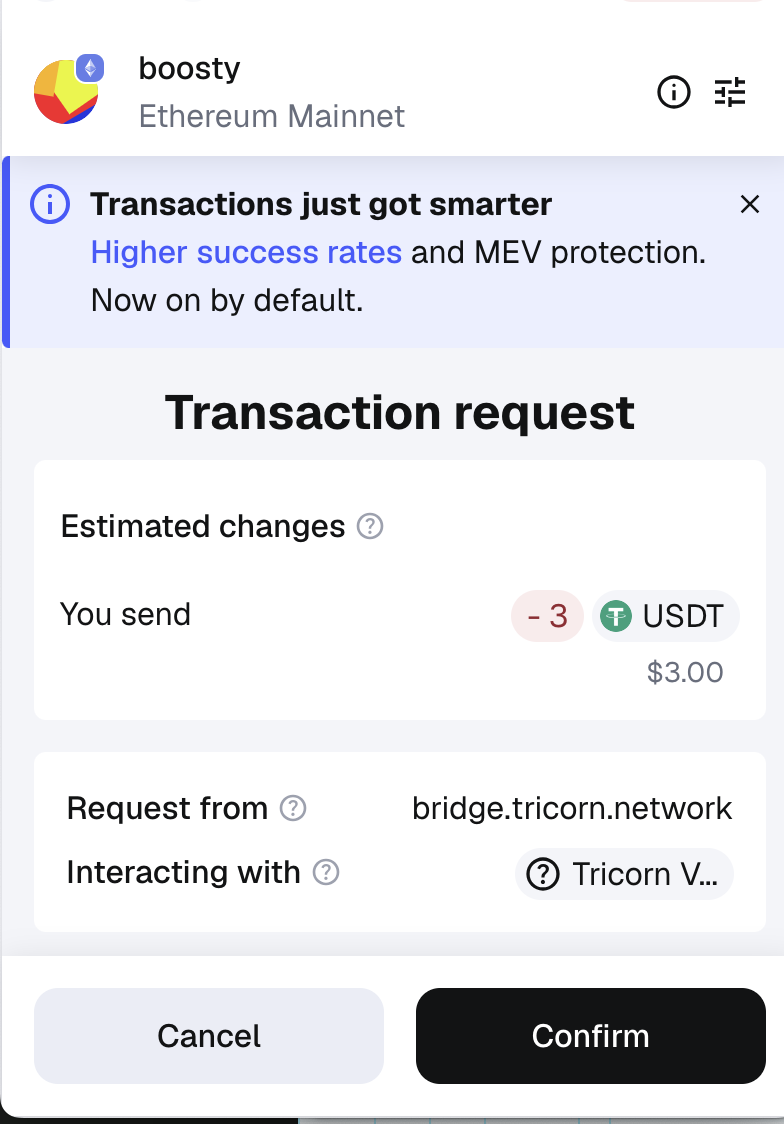
Click Transfer. MetaMask will request confirmation in three stages:
- Approve token spending
- A MetaMask popup will appear asking you to approve USDT spending.
- Click Confirm.
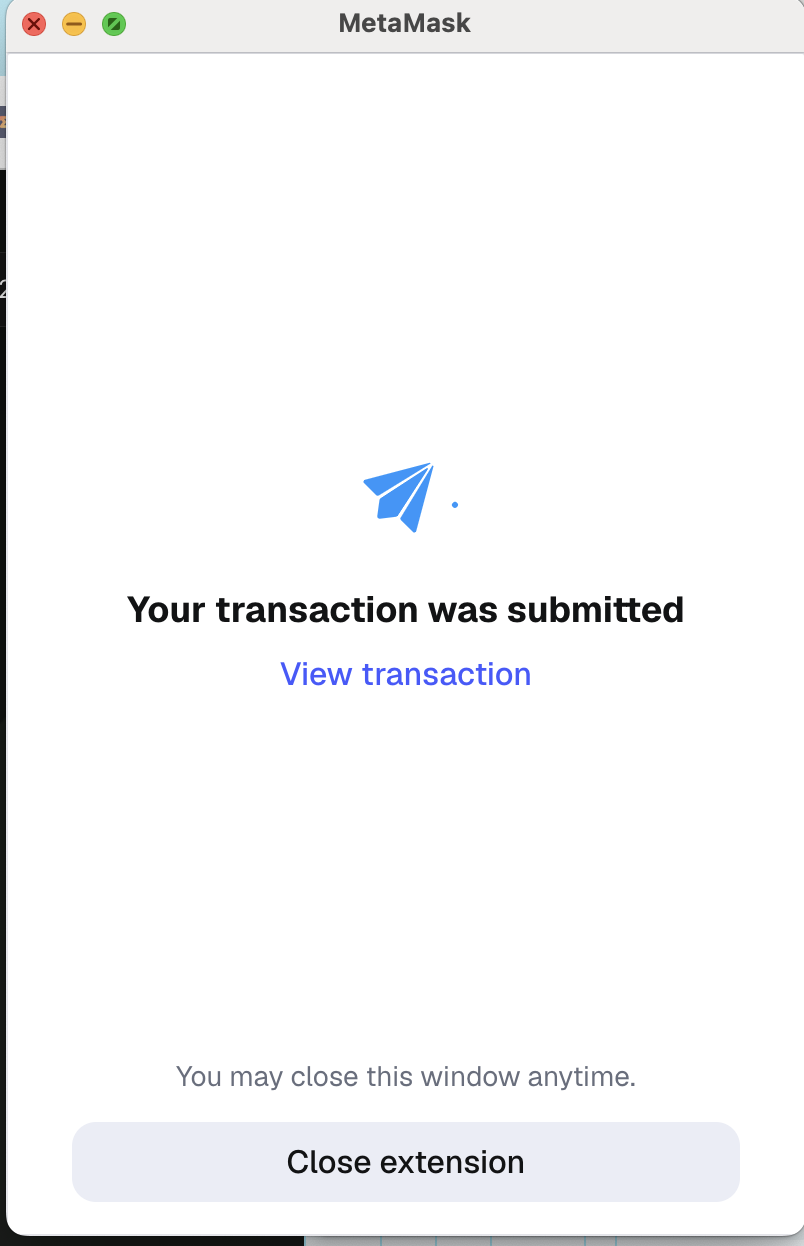
- Confirm the transaction
- Wait 2–10 seconds for the second MetaMask popup.
- Review the details and click Confirm to complete the transfer.
👇 Step 3 – Wait for TUSDT to be credited
- In the Tribe Wallet mobile app, wait until the TUSDT tokens are credited to your balance.
- This may take longer than usual due to high Bitcoin network congestion.
How RGB → Ethereum Transfers Work (TUSDT → USDT)
🔧 Step 1 — Prepare the transaction on the bridge
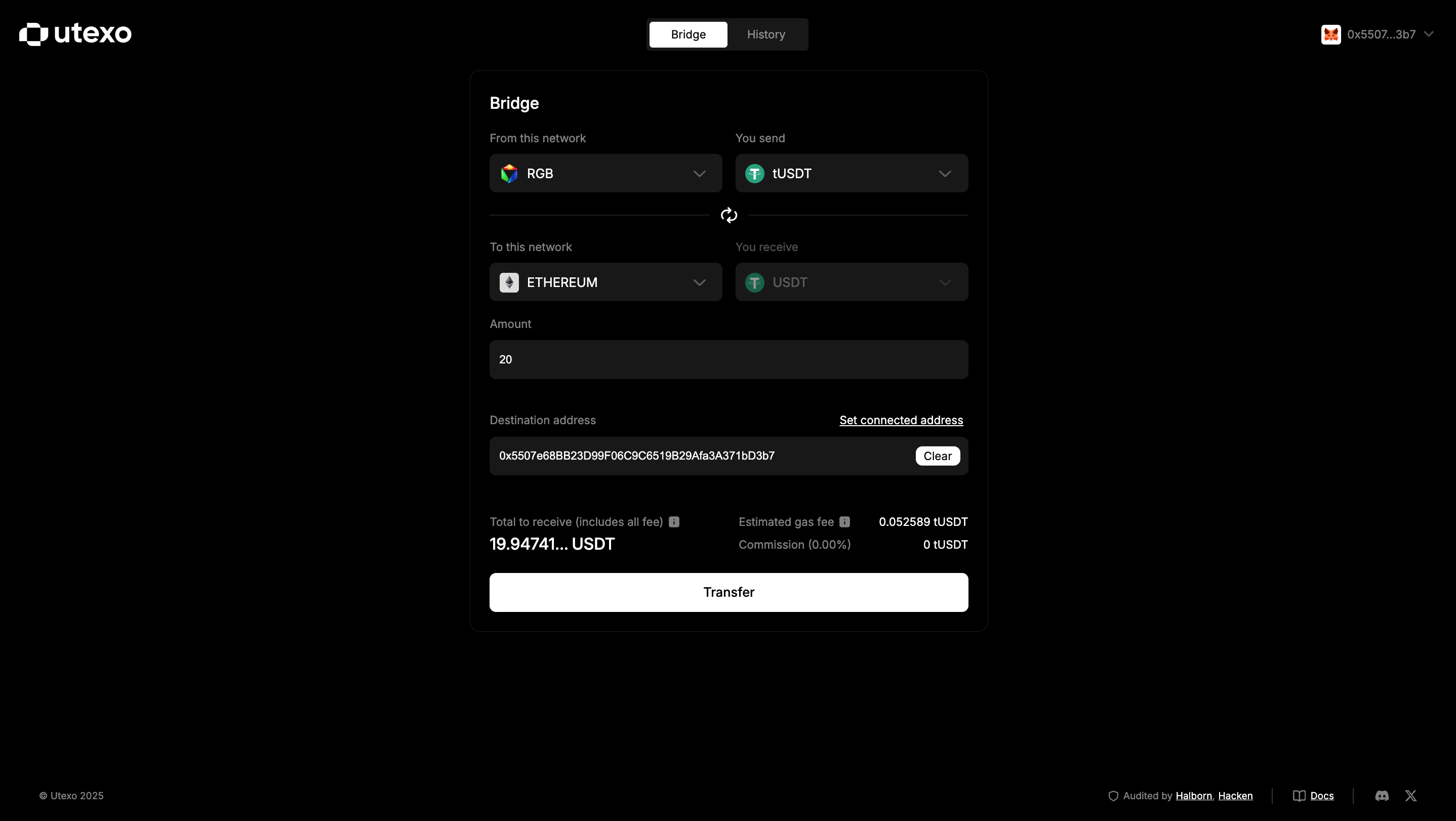
- On Utexo, set:
- Send: Blockchain – RGB, Token – TUSDT.
- Receive: Blockchain – Ethereum, Token – USDT.
- Enter the Amount of TUSDT you want to send.
- In the Destination address field, enter your Ethereum address (MetaMask).
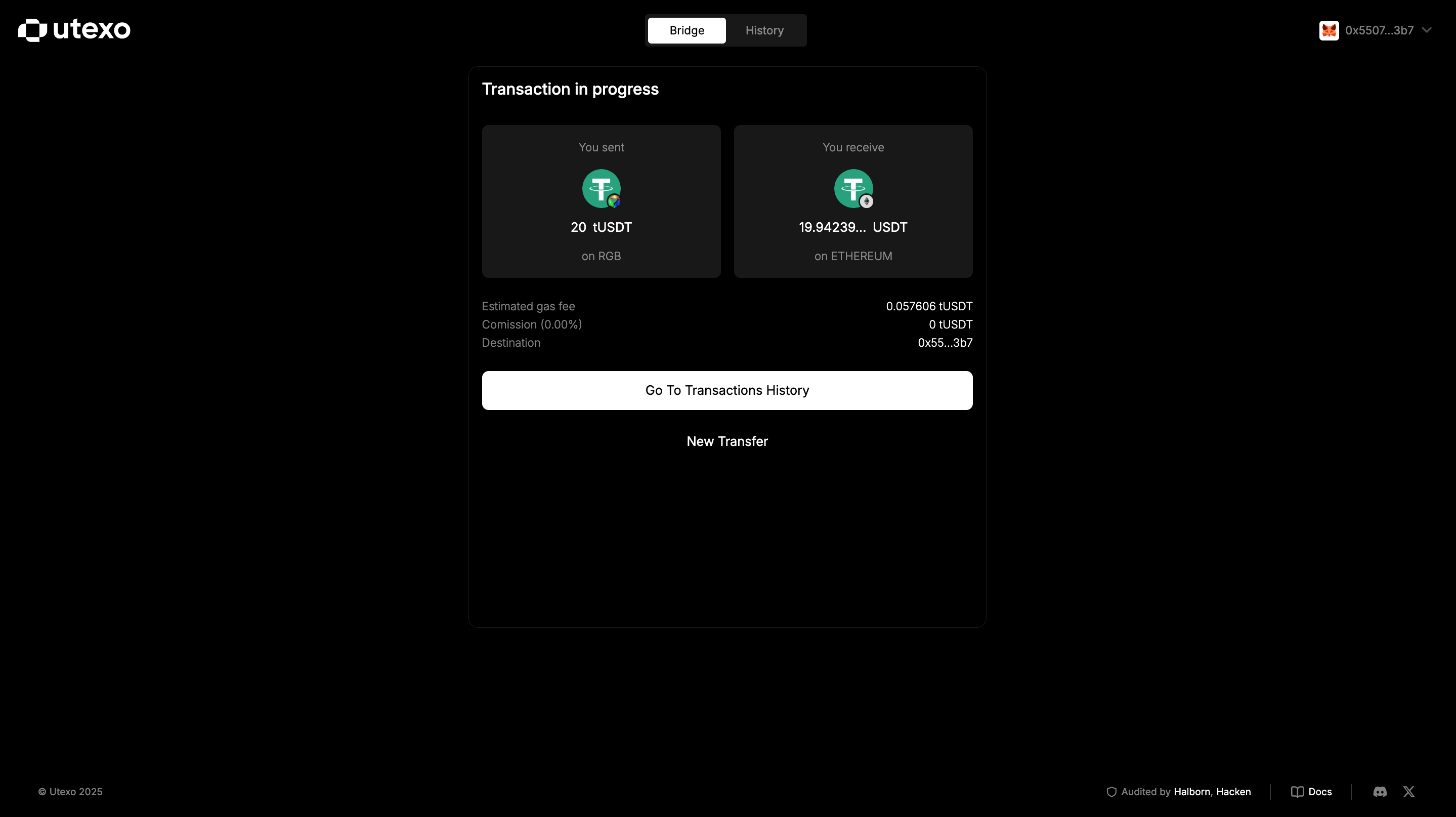
- Review the preview section – it will display:
- You will receive – estimated amount of USDT after fees.
- Estimated gas fee and Commission. Click TRANSFER.
🔗 Step 2 — Pay the RGB invoice
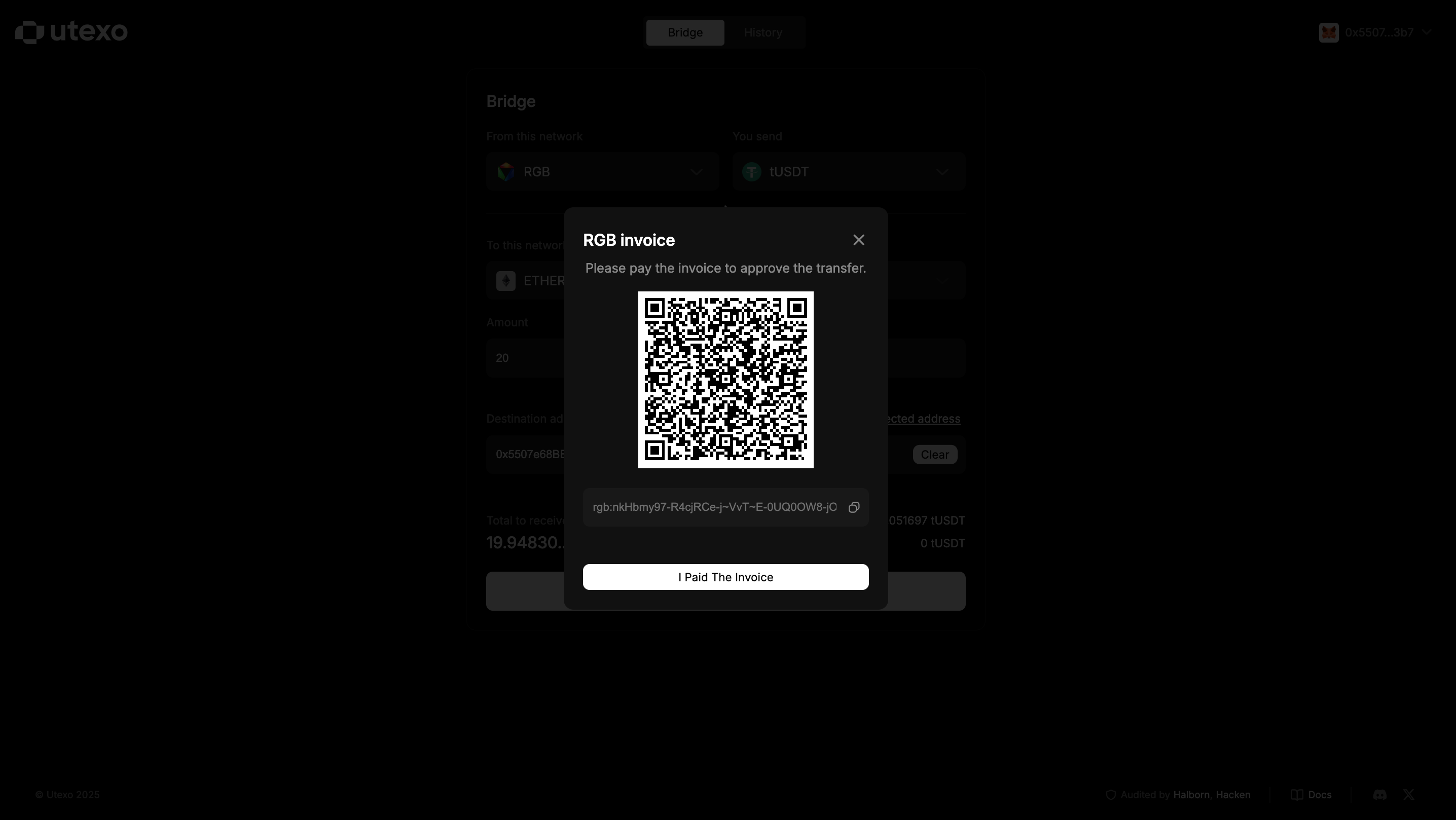
- Once the bridge generates the RGB invoice (popup with QR code), open the Tribe Wallet mobile app:
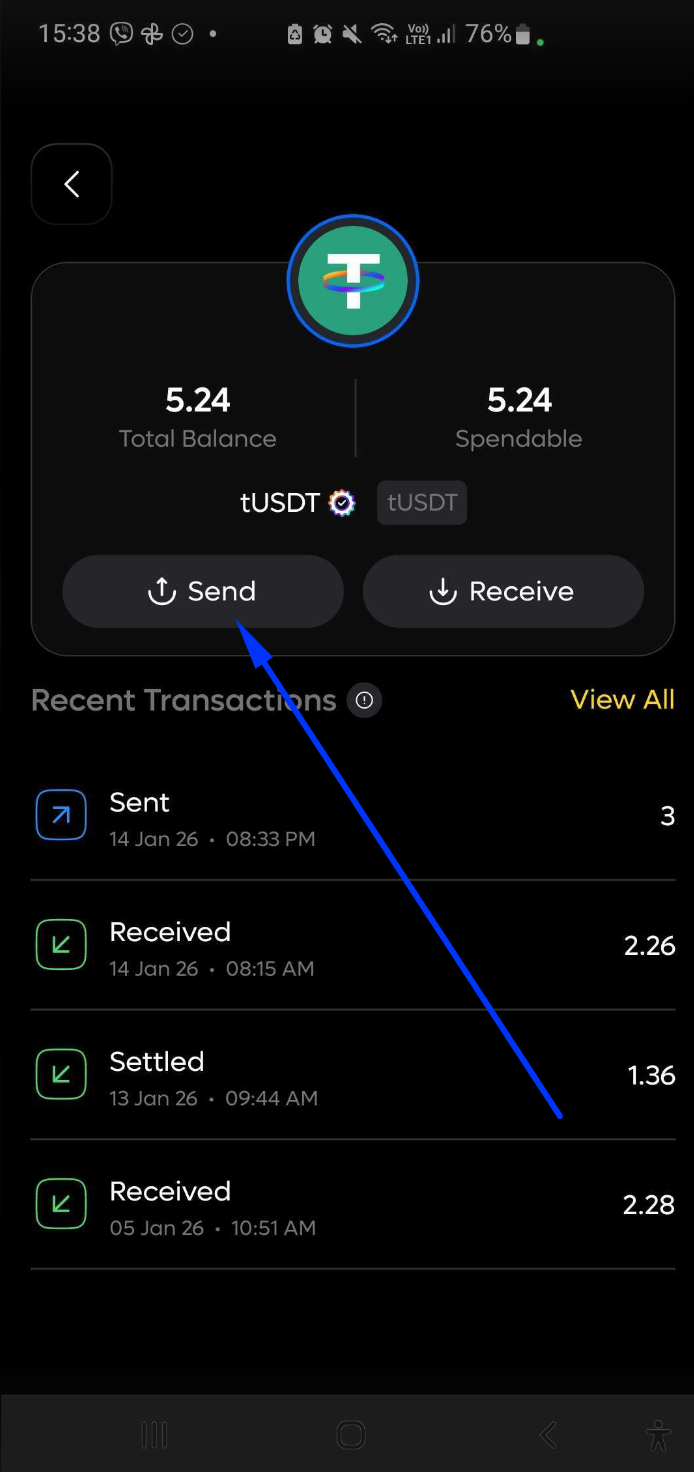
- Go to your TUSDT token
- Tap Send.
- After tapping Send, the built-in QR code scanner will open automatically.
- Use the scanner to scan the QR code displayed in the bridge popup, or paste the invoice manually if you have copied it.
- Confirm the transaction details and complete the payment.
💸 Step 3 — Check transaction status in Tribe Wallet
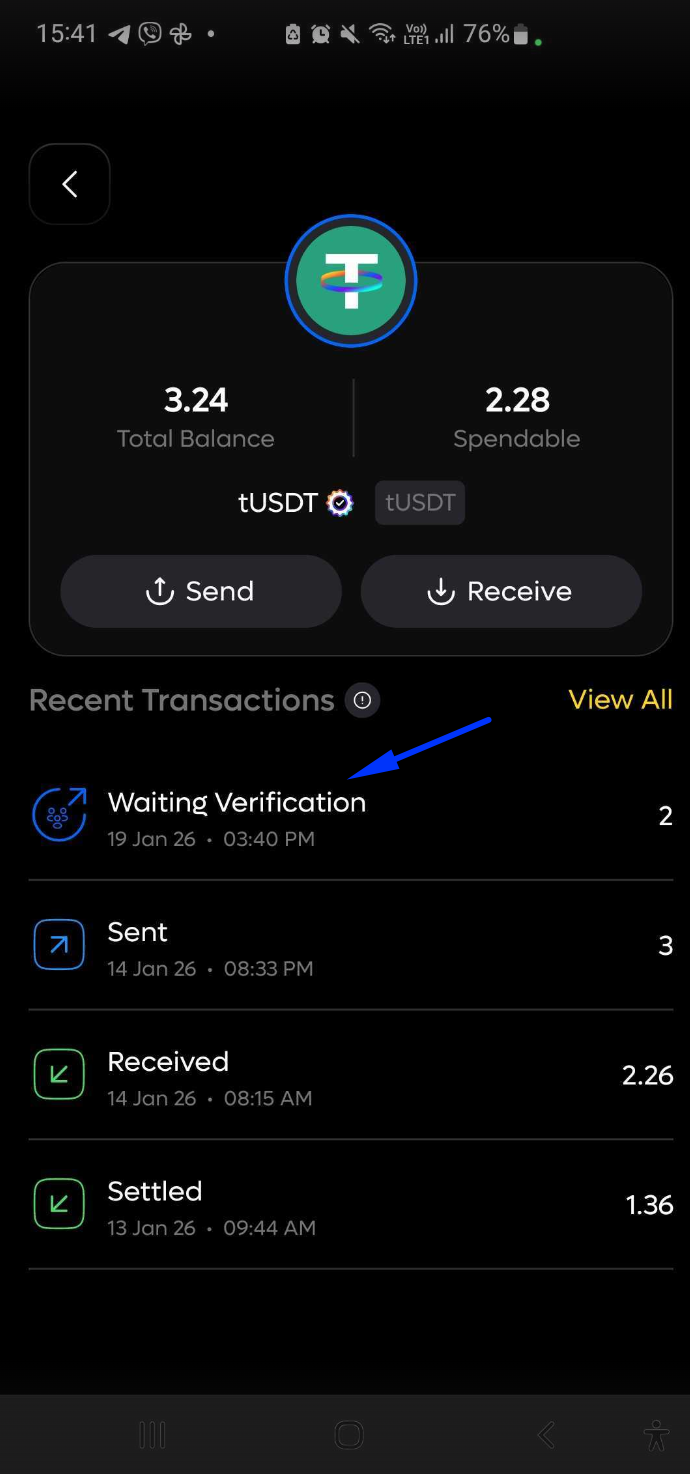
- After sending, the transaction will first appear with the status Waiting Verification.
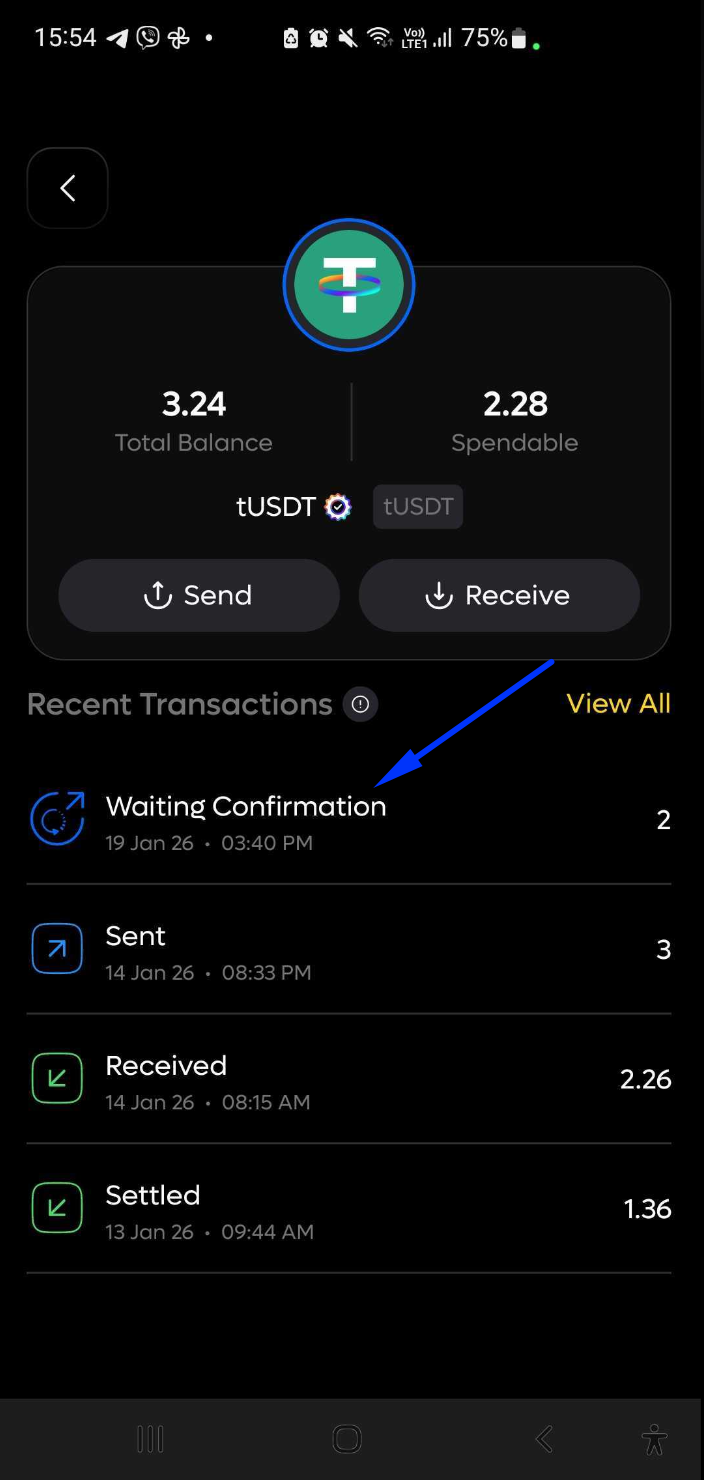
- The transaction status will then change to Waiting Confirmation, meaning it is now being processed on the Bitcoin network.
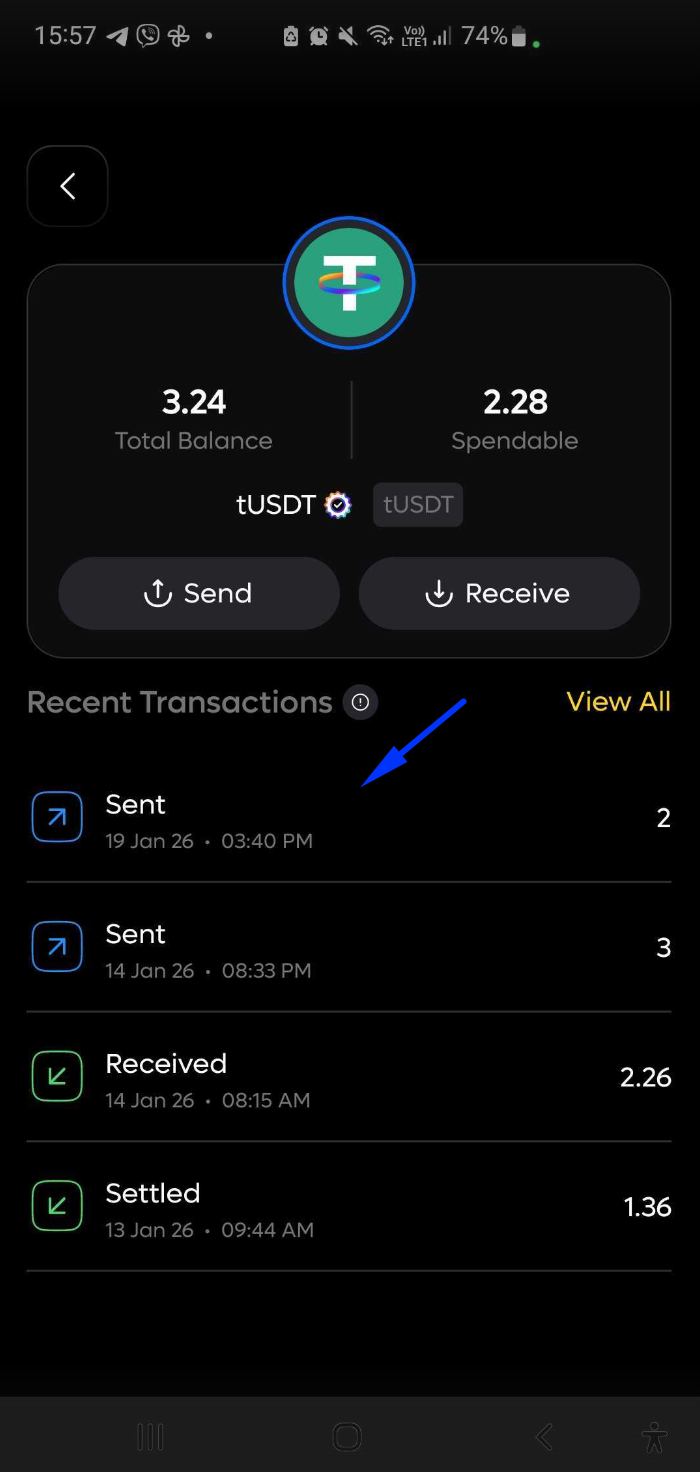
- After the transaction is fully processed and confirmed, the status will change to Sent, indicating that the transfer has been completed successfully.
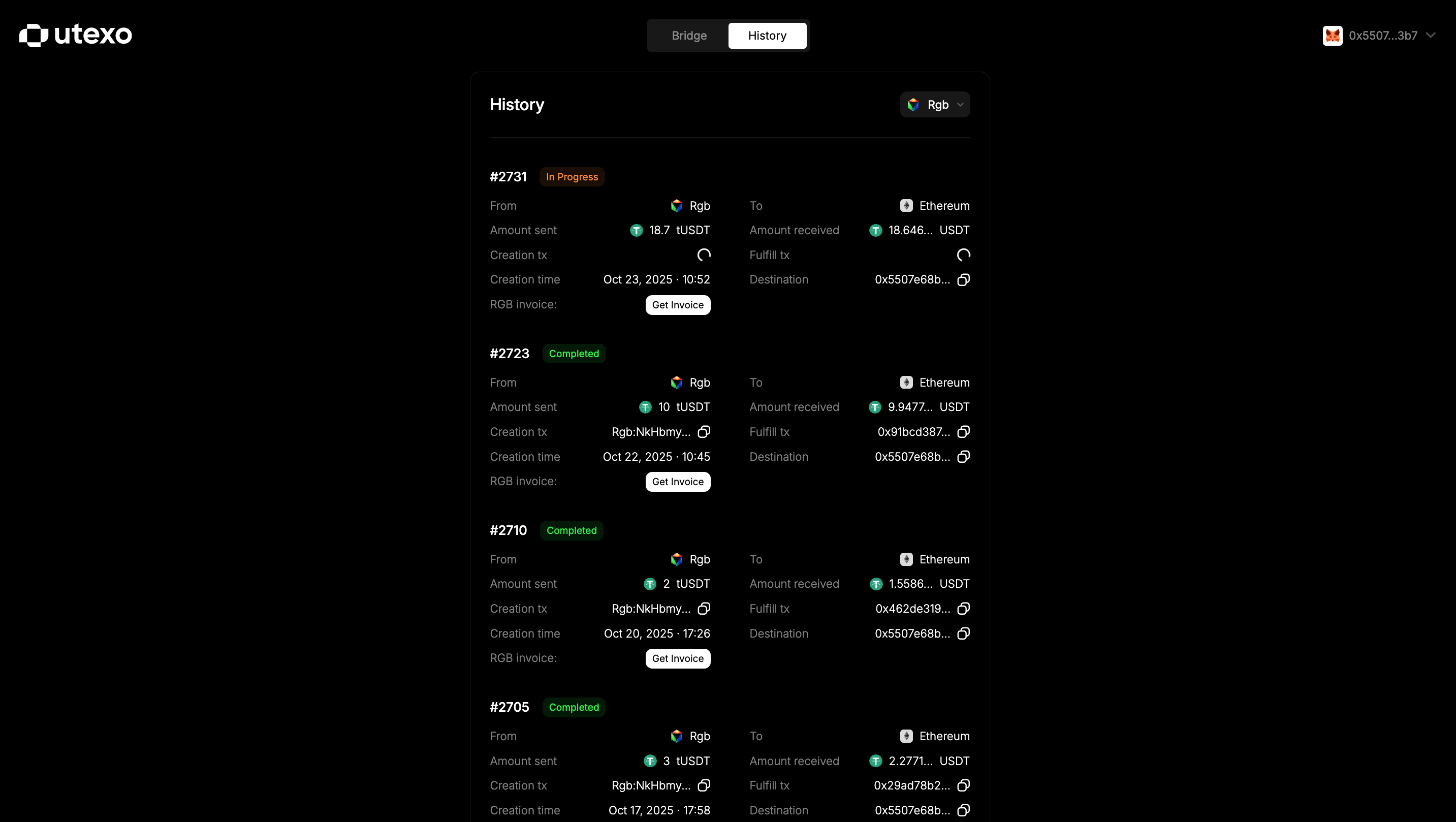
🔧 Additional notes
- Transaction time may vary depending on Bitcoin network congestion — in some cases, it may take longer than expected.
🎉 You're All Set!
Enjoy smooth and secure cross-chain transfers with Utexo.